Oz > Integrations
GitHub integration
# GitHub integration import { VARS } from '@data/vars'; The GitHub integration lets your team start cloud agents from GitHub itself. Mention **@oz-agent** in an issue comment, a pull request review comment, or the body of a new pull request, and Warp starts a cloud agent that reads the surrounding context, works the task in your codebase, and posts its progress and results back into the same thread. The integration is powered by the **Oz by Warp** GitHub App. Once a team admin installs the app and enables the GitHub organization, every teammate who has connected their GitHub account can trigger agents from GitHub without leaving a review or an issue. :::note This page covers the native GitHub App integration. It is distinct from two other GitHub surfaces: * [GitHub Actions](/platform/integrations/github-actions/) runs agents inside your own CI workflows with the `oz-agent-action` workflow step. You control the trigger, permissions, and prompt in YAML. * [Team GitHub authorization](/platform/team-access-billing-and-identity/#team-github-authorization) is how agents authenticate to GitHub to clone repos and open pull requests, regardless of where a run started. ::: --- ## What the GitHub integration does * **@oz-agent mentions** - Mention the agent in a comment or pull request body to start a cloud agent run with the issue or pull request as context. * **In-thread status** - Warp posts a status comment carrying the run link, then follows up with progress comments and a final summary in the same issue, pull request, or review thread. * **Thread-aware follow-ups** - Mention the agent again in the same thread and Warp continues the existing run instead of starting a new one. * **Automatic repository access** - The repository the event came from is cloned for the run, alongside any repositories in the environment you configure for the integration. * **Team-scoped configuration** - A Warp team admin controls which GitHub organizations are enabled, and which environment, model, agent, and prompt GitHub-triggered runs use. ## How it works When you mention `@oz-agent`, GitHub sends the event to Warp through the Oz by Warp GitHub App installation. Warp then: 1. Confirms the comment or pull request body contains the `@oz-agent` mention and that the author is a person rather than a bot. 2. Maps the GitHub App installation to a Warp team using the organizations enabled in the Admin Panel. 3. Maps the GitHub account that posted the mention to a Warp account, so the run is attributed to that person. 4. Posts a status comment in the thread and starts the cloud agent run with the issue, pull request, or review thread as context. 5. Posts progress updates and a final summary back into the thread, including any pull requests the agent opened and branches it pushed. The agent replies through Warp's status comments, which are posted by the GitHub App. Agent replies aren't posted from the triggering user's account. ### Supported triggers The integration starts or continues a run for these GitHub events when the text contains `@oz-agent`: * **Issue comments** - A new comment on an issue. Warp reads the issue title, description, labels, state, and the recent comment thread. * **Pull request comments** - A new top-level comment on a pull request. These continue the pull request's existing run when one exists. * **Pull request review comments** - A new inline review comment or a reply in a review thread. Warp reads the pull request, the review thread, and the diff of the commented file, and replies inside the same review thread. * **New pull requests** - A pull request opened with `@oz-agent` in its description. Warp reads the title, description, and the head and base branches. Mentions in other places don't start a run. Editing a comment to add the mention, mentioning the agent in an issue or pull request title, and mentions posted by bots are all ignored. ### Follow-ups and existing runs Warp groups events into a single conversation per issue, pull request, or review thread: * Comments on the same issue continue that issue's run. * Top-level pull request comments continue that pull request's run, including a run started from the pull request description. * Replies in a review thread continue that thread's run. When a run for that thread is already in flight, a new mention is delivered to the running agent as a follow-up instruction rather than starting a second agent. ## Requirements * **Team membership** - The GitHub integration requires a [Warp team](/knowledge-and-collaboration/teams/). Configuration is team-scoped, and runs are owned by the team associated with the GitHub App installation. * **Plan and credits** - Your team must be on a Build, Max, or Business plan with at least 20 credits available, or on an Enterprise plan with a team credit pool per your contract. See [Access, billing, and identity](/platform/team-access-billing-and-identity/). * **Oz by Warp GitHub App** - A GitHub organization owner installs the [Oz by Warp](https://github.com/apps/oz-by-warp) GitHub App on the organization or account that owns the repositories, granting it access to all repositories or a selected set. The installation's repository access is what agents act with, so scope it deliberately. * **An enabled GitHub organization** - A Warp team admin adds the organization under **Enabled GitHub Orgs** in the Admin Panel so the installation maps to your Warp team. * **A connected GitHub account** - Each teammate connects their GitHub account to Warp once, so Warp can identify who triggered the run and which team to bill. The connection identifies the requester; it doesn't determine what the agent can reach on GitHub. ## Setting up the GitHub integration Complete steps 1 through 3 once per team. Step 4 is per teammate. ### 1. Install the GitHub App Install the app so GitHub can deliver issue and pull request events to Warp, and so agents can read repository context and post comments. A user with admin permissions on the GitHub organization installs the [Oz by Warp](https://github.com/apps/oz-by-warp) GitHub App and grants it access to **all repositories** or **selected repositories**. Each installation covers a single GitHub organization or personal account, so install the app separately for every organization your team works in. <figure style={{ maxWidth: "563px" }}>  <figcaption>Installing the Oz by Warp GitHub App.</figcaption> </figure> The agent can only act on repositories included in this installation. ### 2. Enable the GitHub organization for your Warp team Enabling the organization is what tells Warp which team owns the runs triggered from those repositories. In the Warp app, a team admin goes to **Settings** > **Admin Panel** > **Platform** and adds the GitHub organization under **Enabled GitHub Orgs**. <figure style={{ maxWidth: "563px" }}>  <figcaption>Enabled GitHub Orgs setting in the Admin Panel.</figcaption> </figure> Until the organization is enabled, mentions in its repositories return a comment asking a Warp team admin to enable the organization. ### 3. Configure how GitHub-triggered runs execute Configure the integration so every GitHub-triggered run uses the environment and settings your team expects. 1. Open the <a href={`${VARS.WEB_APP_URL}/integrations`}>Integrations page in the {VARS.WEB_APP}</a>. The **GitHub integration** row shows whether an installation is connected to your team. 2. Open the row's settings and choose the [environment](/platform/environments/) the runs use, plus an optional model, [agent](/platform/agents/), prompt, and secrets. 3. Save the configuration. The repository that triggered the event is always cloned for the run, so an environment is optional. Configure one when runs need additional repositories, a specific Docker image, or setup commands. Pick a GitHub environment whose repositories the same installation covers, since the run authenticates with that installation's token. :::note Unlike Slack and Linear, the GitHub integration isn't created with `oz integration create`. It appears once the Oz by Warp GitHub App installation is associated with your team in the Admin Panel. ::: ### 4. Connect your GitHub account Each teammate connects their GitHub account so Warp can match the mention to a Warp account, attribute the run to that person, and bill it to the right team. Warp doesn't start a run for a GitHub account it can't match. Connect the account from the GitHub integration row in the {VARS.WEB_APP}, or the first time you trigger a run: when Warp can't match your GitHub account, it replies in the thread with a link to connect. ## Using @oz-agent in GitHub Mention the agent and describe the task in the same comment: > @oz-agent this test is flaky on CI. Find the race condition and open a PR with a fix. On a pull request review comment, the agent also receives the diff for the file you commented on, so you can ask for a targeted change: > @oz-agent rename this helper to `parseRepoRef` and update the call sites. Warp responds in the thread with a status comment that links to the run, then posts progress updates as the agent works, and finally posts the agent's summary along with any pull requests it opened and branches it pushed. ## Monitoring runs Every GitHub-triggered run is a cloud agent run: * **In the thread** - The status comment links to the run in the {VARS.WEB_APP} and, once available, to the live conversation. * **In the {VARS.WEB_APP}** - The <a href={`${VARS.WEB_APP_URL}/runs`}>Runs page</a> shows the full transcript, status, and metadata. See [Viewing cloud agent runs](/platform/viewing-cloud-agent-runs/). * **In the Warp app** - GitHub-triggered runs appear alongside the rest of your team's runs in the [Agent Management Panel](/platform/managing-cloud-agents/). ## Permissions and identity GitHub-triggered runs separate **what the agent can do on GitHub** from **who the run belongs to**. **Access comes from the GitHub App installation.** A run started by an `@oz-agent` mention authenticates with a token minted for the Oz by Warp GitHub App installation that delivered the event, not with the mentioning user's GitHub authorization. Cloning, branches, commits, pull requests, and the status comments all use that installation token, so on GitHub the work is attributed to the Oz by Warp GitHub App rather than to the person who wrote the mention. The installation's repository selection is therefore the boundary on what the agent can reach: adjust it in your [GitHub settings](https://github.com/settings/installations). **Identity comes from the account connection.** Warp matches the GitHub account that posted the mention to the Warp account that connected it, not by email address. That binding decides who the run is attributed to in Warp, which team owns it, and whose credits pay for it. The person must be a member of the Warp team that enabled the organization. :::caution Because the run uses the installation's access rather than the mentioner's, anyone who can comment in a repository covered by the installation — and who has a connected GitHub account on that Warp team — can start an agent that acts with the installation's full repository access. Grant the app only the repositories your team wants agents to work in. ::: For fully automated workflows that run without a triggering user, such as scheduled agents or runs started with an agent API key, see [Team GitHub authorization](/platform/team-access-billing-and-identity/#team-github-authorization). ## Limitations * **Mentions only start runs from comments and pull request descriptions.** Issue and pull request titles, commit messages, and edits to an existing comment don't trigger the agent. * **Bots can't trigger the agent.** Mentions posted by GitHub bots or apps are ignored, so an agent can't start another agent from a comment. * **One run per thread at a time.** While a run for an issue, pull request, or review thread is active, further mentions become follow-ups to that run. * **The installation must map to a Warp team.** Repositories in an organization that no Warp team has enabled can't start runs. * **Installations are scoped to one organization each.** Install the app separately for every GitHub organization whose repositories your team works in. * **Everything on GitHub is done by the app.** Comments, commits, branches, and pull requests come from Oz by Warp rather than the person who mentioned the agent, so the run can't reach anything the installation can't reach, and it isn't narrowed to what that person can reach either. * **The configured environment must be a GitHub environment.** A GitHub-triggered run rejects an environment built for another provider, such as GitLab or Bitbucket, and asks you to configure a GitHub environment instead. * **Environment repositories outside the installation stay out of reach.** The installation token only covers the repositories the app is installed on, so a repository in the environment that the installation doesn't cover isn't available to the agent. ## Troubleshooting ### Nothing happens after mentioning @oz-agent The event never reached Warp, or it was filtered out. Check in this order: 1. The comment body contains `@oz-agent`, spelled exactly, rather than only the issue or pull request title. 2. The Oz by Warp GitHub App is installed on the organization and has access to that repository. 3. The mention was posted by a person. Bot-authored comments are ignored. 4. The comment is new. Editing an existing comment to add the mention doesn't start a run. ### "Your GitHub account is not connected to Warp" Warp received the mention but couldn't match your GitHub account to a Warp account. Use the link in the reply to connect your GitHub account, then mention the agent again. ### "This repository's GitHub App installation is not associated with a Warp team" The app is installed, but no Warp team has enabled that GitHub organization. A Warp team admin adds the organization under **Enabled GitHub Orgs** in **Settings** > **Admin Panel** > **Platform** in the Warp app. ### "Your Warp account is not a member of any team associated with this repository" Your GitHub account is connected, but your Warp account isn't in the team that enabled the organization. Ask a team admin to add you to the Warp team. ### The run starts but fails immediately Use the error code in the thread's status comment to narrow the fix. Common errors include: * [`feature_not_available`](/reference/api-and-sdk/troubleshooting/errors/feature-not-available/) - The team's plan doesn't support integrations. * [`external_authentication_required`](/reference/api-and-sdk/troubleshooting/errors/external-authentication-required/) - GitHub authorization is missing or expired. * [`insufficient_credits`](/reference/api-and-sdk/troubleshooting/errors/insufficient-credits/) - The billed account has no credits available. ### The agent finished but opened no pull request Confirm the Oz by Warp GitHub App installation covers the repository and still grants write access to it. Because the run acts with the installation's token, removing a repository from the installation, or narrowing the app's permissions, stops the agent from pushing branches or opening pull requests there. ## Removing or changing the integration * **Change repository access** - Edit the Oz by Warp installation in your [GitHub settings](https://github.com/settings/installations). * **Stop runs for an organization** - A Warp team admin removes the organization from **Enabled GitHub Orgs** in the Admin Panel. Mentions in its repositories stop starting runs. * **Remove the integration entirely** - Uninstall the Oz by Warp GitHub App from the GitHub organization. GitHub stops delivering events to Warp for every repository in that installation. ## Related resources * [GitHub Actions](/platform/integrations/github-actions/) - Run agents from your own CI workflows with `oz-agent-action`. * [Integrations overview](/platform/integrations/) - The full set of first-party integrations. * [Access, billing, and identity](/platform/team-access-billing-and-identity/) - Team GitHub authorization, identity mapping, and credit usage. * [Environments](/platform/environments/) - Configure the runtime context for cloud agents. * [Viewing cloud agent runs](/platform/viewing-cloud-agent-runs/) - Inspect and share the runs a mention starts.Tell me about this feature: https://docs.warp.dev/platform/integrations/github/Mention @oz-agent on a GitHub issue, pull request, or review comment to start a cloud agent that replies in the thread and opens pull requests.
The GitHub integration lets your team start cloud agents from GitHub itself. Mention @oz-agent in an issue comment, a pull request review comment, or the body of a new pull request, and Warp starts a cloud agent that reads the surrounding context, works the task in your codebase, and posts its progress and results back into the same thread.
The integration is powered by the Oz by Warp GitHub App. Once a team admin installs the app and enables the GitHub organization, every teammate who has connected their GitHub account can trigger agents from GitHub without leaving a review or an issue.
What the GitHub integration does
Section titled “What the GitHub integration does”- @oz-agent mentions - Mention the agent in a comment or pull request body to start a cloud agent run with the issue or pull request as context.
- In-thread status - Warp posts a status comment carrying the run link, then follows up with progress comments and a final summary in the same issue, pull request, or review thread.
- Thread-aware follow-ups - Mention the agent again in the same thread and Warp continues the existing run instead of starting a new one.
- Automatic repository access - The repository the event came from is cloned for the run, alongside any repositories in the environment you configure for the integration.
- Team-scoped configuration - A Warp team admin controls which GitHub organizations are enabled, and which environment, model, agent, and prompt GitHub-triggered runs use.
How it works
Section titled “How it works”When you mention @oz-agent, GitHub sends the event to Warp through the Oz by Warp GitHub App installation. Warp then:
- Confirms the comment or pull request body contains the
@oz-agentmention and that the author is a person rather than a bot. - Maps the GitHub App installation to a Warp team using the organizations enabled in the Admin Panel.
- Maps the GitHub account that posted the mention to a Warp account, so the run is attributed to that person.
- Posts a status comment in the thread and starts the cloud agent run with the issue, pull request, or review thread as context.
- Posts progress updates and a final summary back into the thread, including any pull requests the agent opened and branches it pushed.
The agent replies through Warp’s status comments, which are posted by the GitHub App. Agent replies aren’t posted from the triggering user’s account.
Supported triggers
Section titled “Supported triggers”The integration starts or continues a run for these GitHub events when the text contains @oz-agent:
- Issue comments - A new comment on an issue. Warp reads the issue title, description, labels, state, and the recent comment thread.
- Pull request comments - A new top-level comment on a pull request. These continue the pull request’s existing run when one exists.
- Pull request review comments - A new inline review comment or a reply in a review thread. Warp reads the pull request, the review thread, and the diff of the commented file, and replies inside the same review thread.
- New pull requests - A pull request opened with
@oz-agentin its description. Warp reads the title, description, and the head and base branches.
Mentions in other places don’t start a run. Editing a comment to add the mention, mentioning the agent in an issue or pull request title, and mentions posted by bots are all ignored.
Follow-ups and existing runs
Section titled “Follow-ups and existing runs”Warp groups events into a single conversation per issue, pull request, or review thread:
- Comments on the same issue continue that issue’s run.
- Top-level pull request comments continue that pull request’s run, including a run started from the pull request description.
- Replies in a review thread continue that thread’s run.
When a run for that thread is already in flight, a new mention is delivered to the running agent as a follow-up instruction rather than starting a second agent.
Requirements
Section titled “Requirements”- Team membership - The GitHub integration requires a Warp team. Configuration is team-scoped, and runs are owned by the team associated with the GitHub App installation.
- Plan and credits - Your team must be on a Build, Max, or Business plan with at least 20 credits available, or on an Enterprise plan with a team credit pool per your contract. See Access, billing, and identity.
- Oz by Warp GitHub App - A GitHub organization owner installs the Oz by Warp GitHub App on the organization or account that owns the repositories, granting it access to all repositories or a selected set. The installation’s repository access is what agents act with, so scope it deliberately.
- An enabled GitHub organization - A Warp team admin adds the organization under Enabled GitHub Orgs in the Admin Panel so the installation maps to your Warp team.
- A connected GitHub account - Each teammate connects their GitHub account to Warp once, so Warp can identify who triggered the run and which team to bill. The connection identifies the requester; it doesn’t determine what the agent can reach on GitHub.
Setting up the GitHub integration
Section titled “Setting up the GitHub integration”Complete steps 1 through 3 once per team. Step 4 is per teammate.
1. Install the GitHub App
Section titled “1. Install the GitHub App”Install the app so GitHub can deliver issue and pull request events to Warp, and so agents can read repository context and post comments.
A user with admin permissions on the GitHub organization installs the Oz by Warp GitHub App and grants it access to all repositories or selected repositories. Each installation covers a single GitHub organization or personal account, so install the app separately for every organization your team works in.
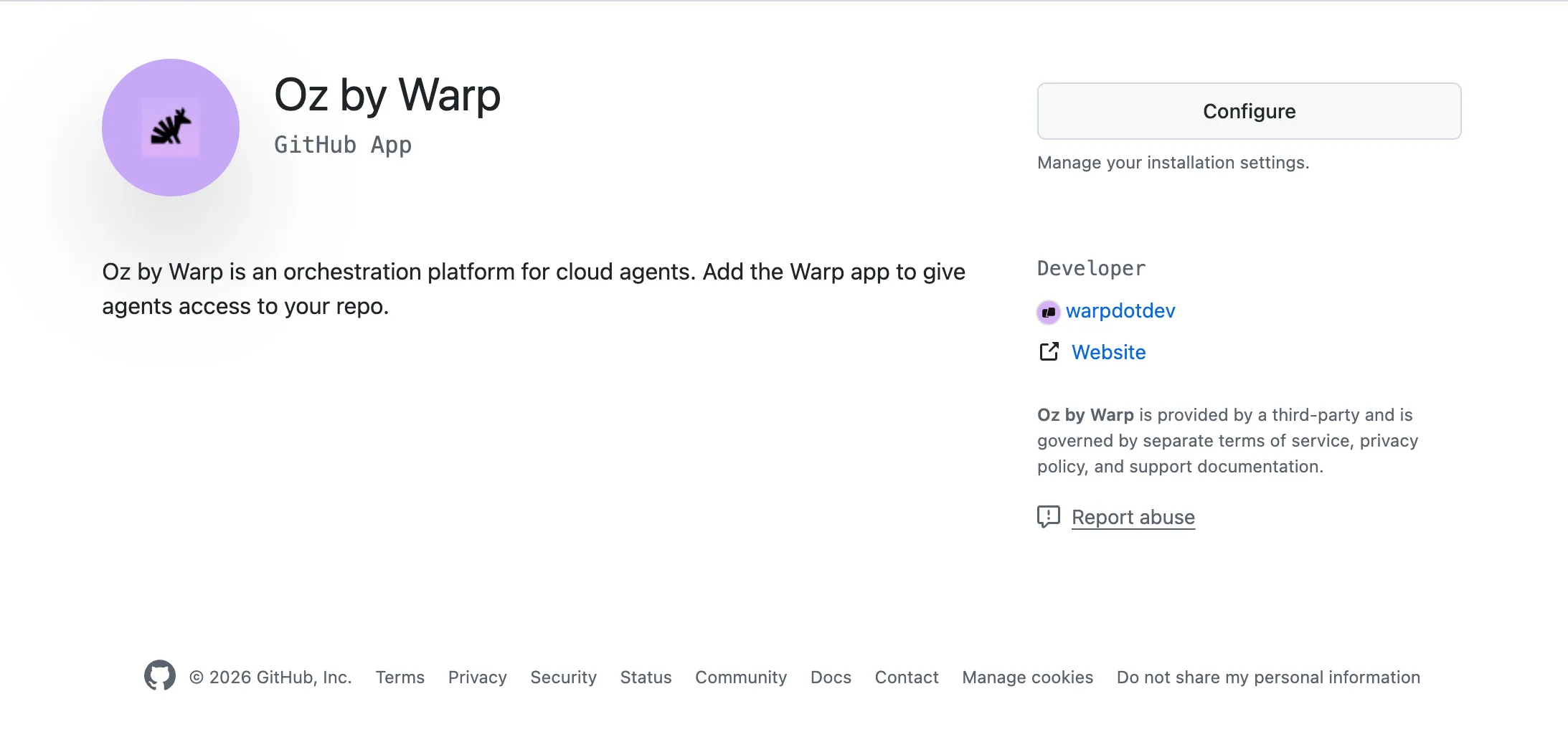
The agent can only act on repositories included in this installation.
2. Enable the GitHub organization for your Warp team
Section titled “2. Enable the GitHub organization for your Warp team”Enabling the organization is what tells Warp which team owns the runs triggered from those repositories.
In the Warp app, a team admin goes to Settings > Admin Panel > Platform and adds the GitHub organization under Enabled GitHub Orgs.

Until the organization is enabled, mentions in its repositories return a comment asking a Warp team admin to enable the organization.
3. Configure how GitHub-triggered runs execute
Section titled “3. Configure how GitHub-triggered runs execute”Configure the integration so every GitHub-triggered run uses the environment and settings your team expects.
- Open the Integrations page in the Oz web app. The GitHub integration row shows whether an installation is connected to your team.
- Open the row’s settings and choose the environment the runs use, plus an optional model, agent, prompt, and secrets.
- Save the configuration.
The repository that triggered the event is always cloned for the run, so an environment is optional. Configure one when runs need additional repositories, a specific Docker image, or setup commands. Pick a GitHub environment whose repositories the same installation covers, since the run authenticates with that installation’s token.
4. Connect your GitHub account
Section titled “4. Connect your GitHub account”Each teammate connects their GitHub account so Warp can match the mention to a Warp account, attribute the run to that person, and bill it to the right team. Warp doesn’t start a run for a GitHub account it can’t match.
Connect the account from the GitHub integration row in the Oz web app, or the first time you trigger a run: when Warp can’t match your GitHub account, it replies in the thread with a link to connect.
Using @oz-agent in GitHub
Section titled “Using @oz-agent in GitHub”Mention the agent and describe the task in the same comment:
@oz-agent this test is flaky on CI. Find the race condition and open a PR with a fix.
On a pull request review comment, the agent also receives the diff for the file you commented on, so you can ask for a targeted change:
@oz-agent rename this helper to
parseRepoRefand update the call sites.
Warp responds in the thread with a status comment that links to the run, then posts progress updates as the agent works, and finally posts the agent’s summary along with any pull requests it opened and branches it pushed.
Monitoring runs
Section titled “Monitoring runs”Every GitHub-triggered run is a cloud agent run:
- In the thread - The status comment links to the run in the Oz web app and, once available, to the live conversation.
- In the Oz web app - The Runs page shows the full transcript, status, and metadata. See Viewing cloud agent runs.
- In the Warp app - GitHub-triggered runs appear alongside the rest of your team’s runs in the Agent Management Panel.
Permissions and identity
Section titled “Permissions and identity”GitHub-triggered runs separate what the agent can do on GitHub from who the run belongs to.
Access comes from the GitHub App installation. A run started by an @oz-agent mention authenticates with a token minted for the Oz by Warp GitHub App installation that delivered the event, not with the mentioning user’s GitHub authorization. Cloning, branches, commits, pull requests, and the status comments all use that installation token, so on GitHub the work is attributed to the Oz by Warp GitHub App rather than to the person who wrote the mention. The installation’s repository selection is therefore the boundary on what the agent can reach: adjust it in your GitHub settings.
Identity comes from the account connection. Warp matches the GitHub account that posted the mention to the Warp account that connected it, not by email address. That binding decides who the run is attributed to in Warp, which team owns it, and whose credits pay for it. The person must be a member of the Warp team that enabled the organization.
For fully automated workflows that run without a triggering user, such as scheduled agents or runs started with an agent API key, see Team GitHub authorization.
Limitations
Section titled “Limitations”- Mentions only start runs from comments and pull request descriptions. Issue and pull request titles, commit messages, and edits to an existing comment don’t trigger the agent.
- Bots can’t trigger the agent. Mentions posted by GitHub bots or apps are ignored, so an agent can’t start another agent from a comment.
- One run per thread at a time. While a run for an issue, pull request, or review thread is active, further mentions become follow-ups to that run.
- The installation must map to a Warp team. Repositories in an organization that no Warp team has enabled can’t start runs.
- Installations are scoped to one organization each. Install the app separately for every GitHub organization whose repositories your team works in.
- Everything on GitHub is done by the app. Comments, commits, branches, and pull requests come from Oz by Warp rather than the person who mentioned the agent, so the run can’t reach anything the installation can’t reach, and it isn’t narrowed to what that person can reach either.
- The configured environment must be a GitHub environment. A GitHub-triggered run rejects an environment built for another provider, such as GitLab or Bitbucket, and asks you to configure a GitHub environment instead.
- Environment repositories outside the installation stay out of reach. The installation token only covers the repositories the app is installed on, so a repository in the environment that the installation doesn’t cover isn’t available to the agent.
Troubleshooting
Section titled “Troubleshooting”Nothing happens after mentioning @oz-agent
Section titled “Nothing happens after mentioning @oz-agent”The event never reached Warp, or it was filtered out. Check in this order:
- The comment body contains
@oz-agent, spelled exactly, rather than only the issue or pull request title. - The Oz by Warp GitHub App is installed on the organization and has access to that repository.
- The mention was posted by a person. Bot-authored comments are ignored.
- The comment is new. Editing an existing comment to add the mention doesn’t start a run.
”Your GitHub account is not connected to Warp”
Section titled “”Your GitHub account is not connected to Warp””Warp received the mention but couldn’t match your GitHub account to a Warp account. Use the link in the reply to connect your GitHub account, then mention the agent again.
”This repository’s GitHub App installation is not associated with a Warp team”
Section titled “”This repository’s GitHub App installation is not associated with a Warp team””The app is installed, but no Warp team has enabled that GitHub organization. A Warp team admin adds the organization under Enabled GitHub Orgs in Settings > Admin Panel > Platform in the Warp app.
”Your Warp account is not a member of any team associated with this repository”
Section titled “”Your Warp account is not a member of any team associated with this repository””Your GitHub account is connected, but your Warp account isn’t in the team that enabled the organization. Ask a team admin to add you to the Warp team.
The run starts but fails immediately
Section titled “The run starts but fails immediately”Use the error code in the thread’s status comment to narrow the fix. Common errors include:
feature_not_available- The team’s plan doesn’t support integrations.external_authentication_required- GitHub authorization is missing or expired.insufficient_credits- The billed account has no credits available.
The agent finished but opened no pull request
Section titled “The agent finished but opened no pull request”Confirm the Oz by Warp GitHub App installation covers the repository and still grants write access to it. Because the run acts with the installation’s token, removing a repository from the installation, or narrowing the app’s permissions, stops the agent from pushing branches or opening pull requests there.
Removing or changing the integration
Section titled “Removing or changing the integration”- Change repository access - Edit the Oz by Warp installation in your GitHub settings.
- Stop runs for an organization - A Warp team admin removes the organization from Enabled GitHub Orgs in the Admin Panel. Mentions in its repositories stop starting runs.
- Remove the integration entirely - Uninstall the Oz by Warp GitHub App from the GitHub organization. GitHub stops delivering events to Warp for every repository in that installation.
Related resources
Section titled “Related resources”- GitHub Actions - Run agents from your own CI workflows with
oz-agent-action. - Integrations overview - The full set of first-party integrations.
- Access, billing, and identity - Team GitHub authorization, identity mapping, and credit usage.
- Environments - Configure the runtime context for cloud agents.
- Viewing cloud agent runs - Inspect and share the runs a mention starts.